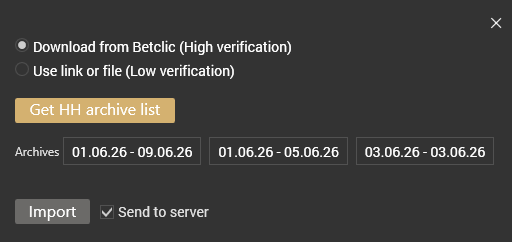
Betclic verification
To verify your results, you need to install the Gooogle Chrome extention, then open Betclic client and Hypertracker.
Step 1. Install the HS Chrome extension
- Open Google Chrome (other browsers do not work).
- Install the extension
Step 2. Request your hand history in the Betclic client
In the Betclic client (the poker software, not the browser), open your game history and request a hand history export for the period you need. You can request only one export per day.
Step 3. Open «Mes documents»
In the Betclic client, go to Mon compte → Mes documents. This opens a betclic.fr tab in Chrome. Click the HS extension icon: it must show Server OK and Betclic Ready with your username. If it shows Login or No tab, re-open Mes documents and refresh (F5).
Step 4. Import in HT
Open Hypertracker, then Betclic verification, press Get HH archive list, select the arhive with the dates which you need, press Import.