How to request hand histories
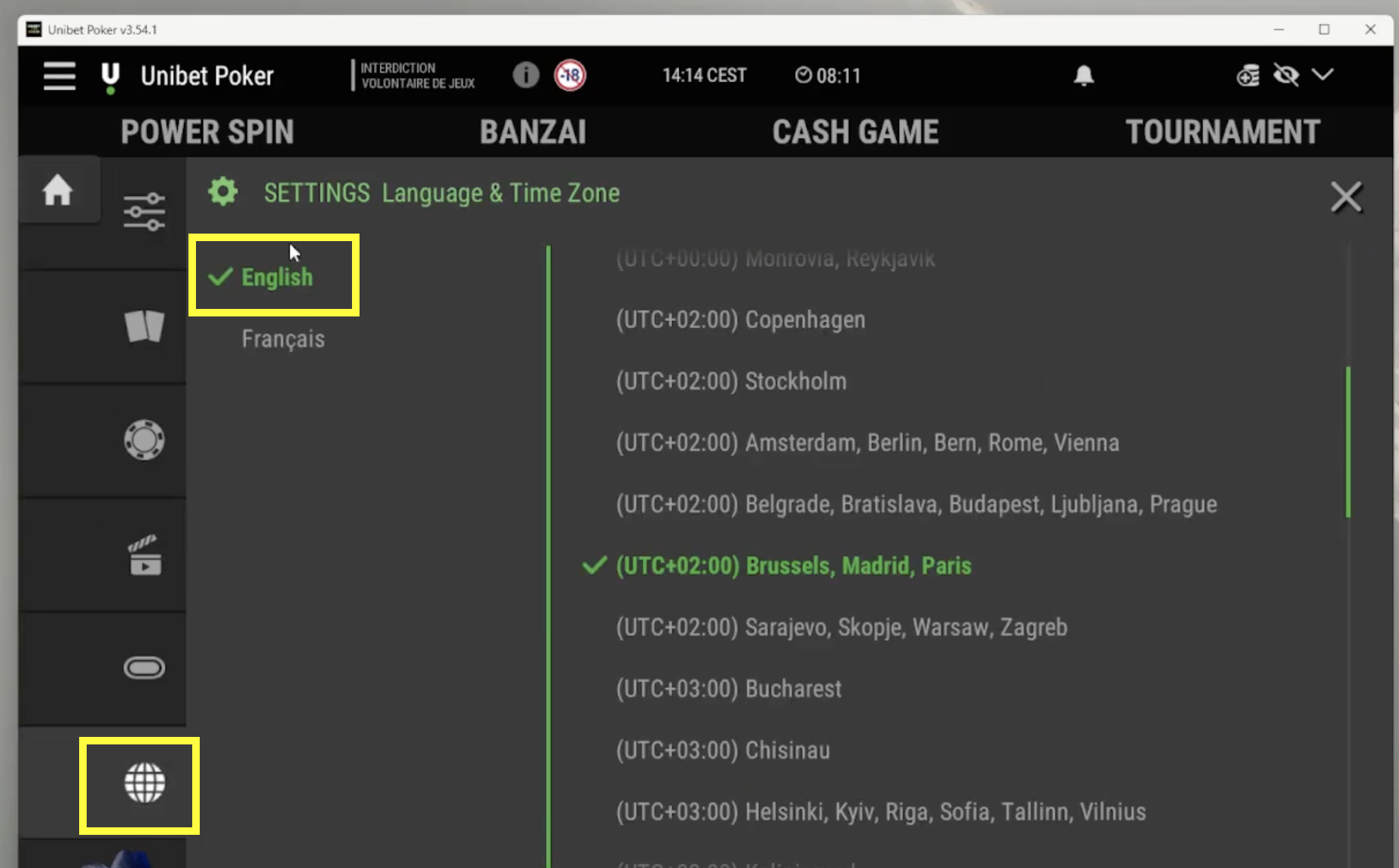
Log in to your client. If your client in French, you need to change it for English: Settings -> Language & Time zone -> English.
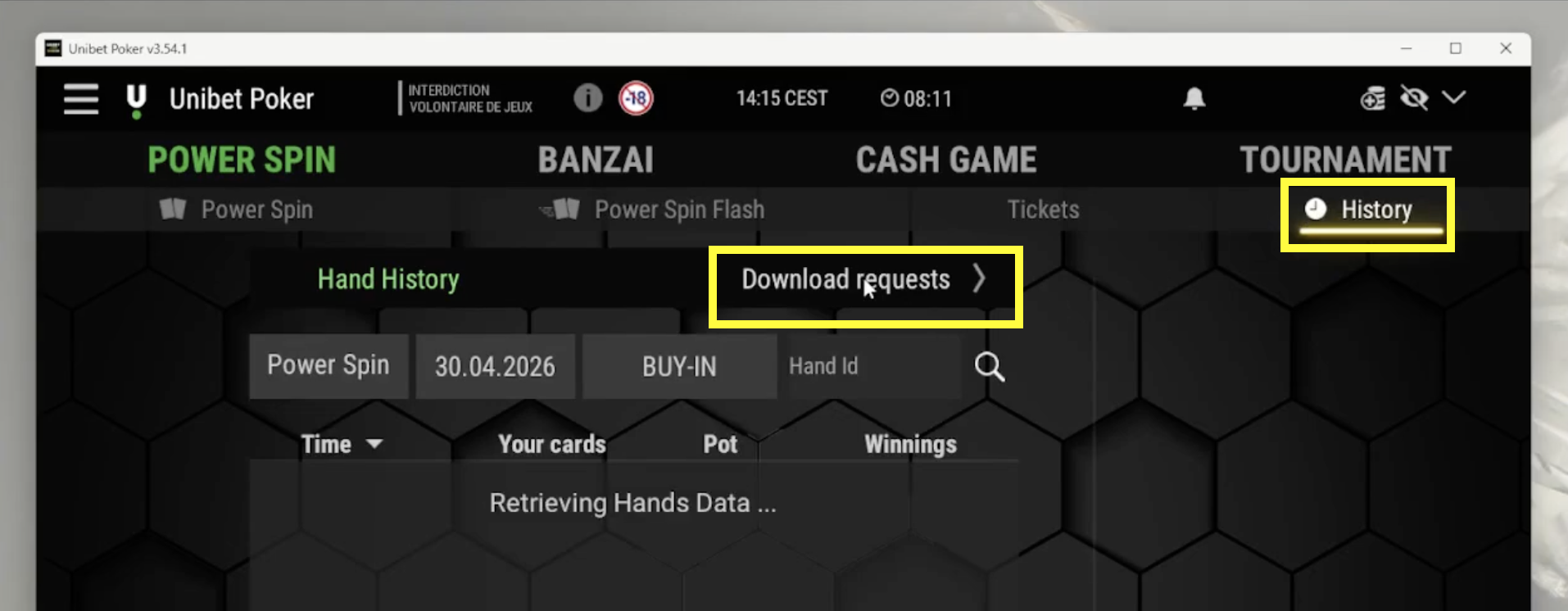
Open History -> Download requests.
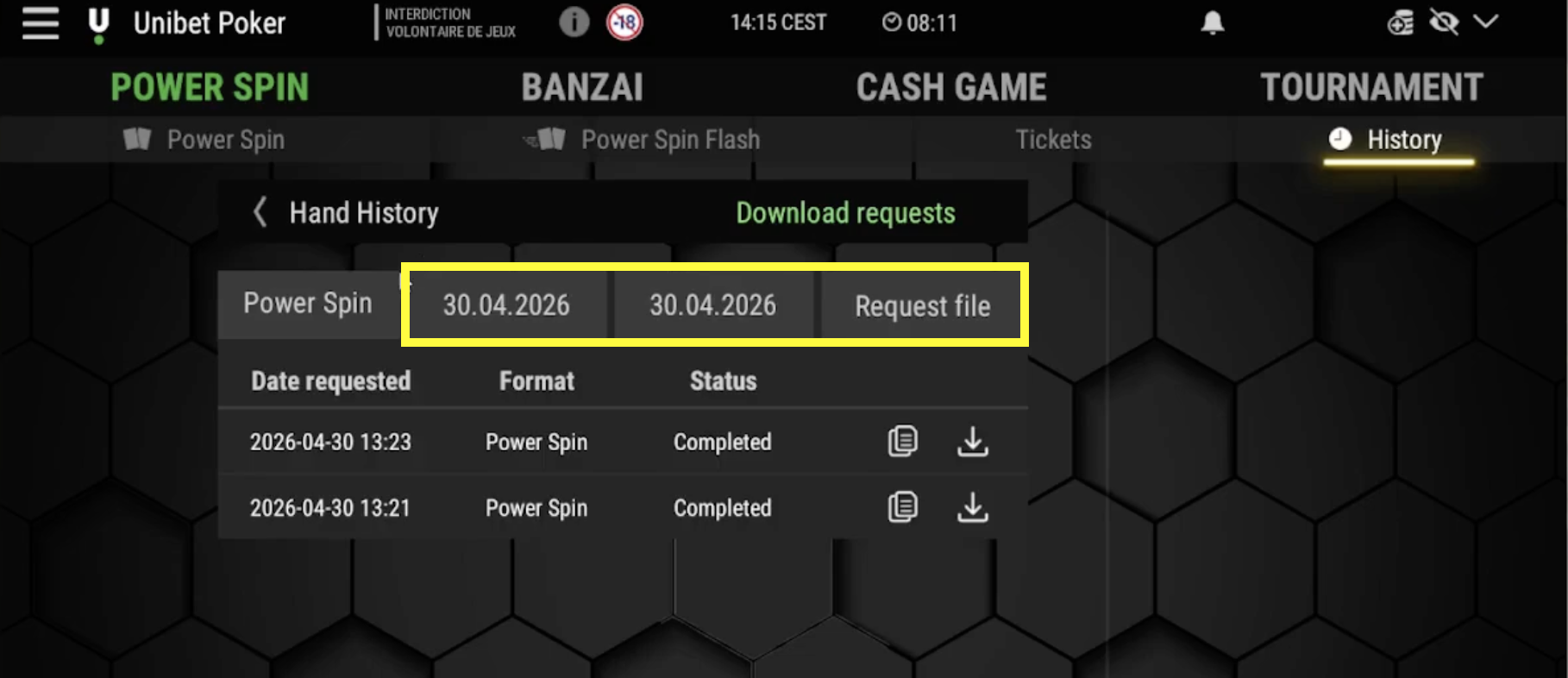
Select the dates and click Request file.
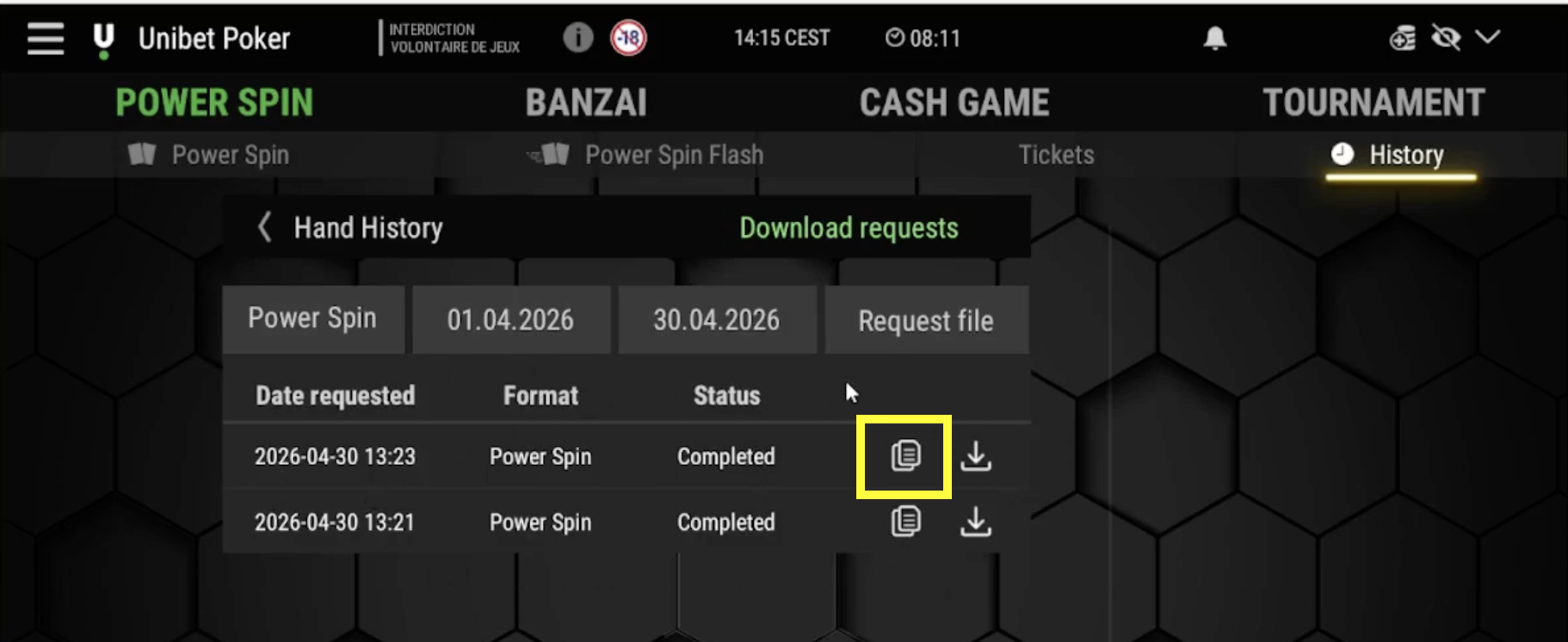
When your hand history is ready, you will have a status - Completed. Click on the icon which is highlighted on the screenshot. You'll get a link to your hand histories.